
Download Undetectable AI Humanizer – AI text humanizer, undetectable content, secure writing tool
Why Undetectable AI Humanizer Is Changing the Way We Write Online
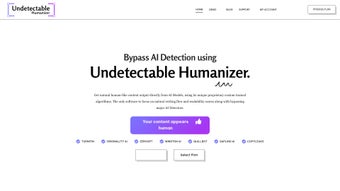
Undetectable AI Humanizer is an innovative web‑based application that turns raw AI‑generated text into naturally flowing, human‑like prose that can slip past even the most sophisticated AI detection engines. In a world where content authenticity is prized by search engines, educators, and readers alike, this tool provides a secure, subscription‑based solution for writers, marketers, students, and teams that need to keep their voice authentic while still benefiting from the speed of AI. By leveraging custom‑trained algorithms that interact with popular large language models, the Humanizer reshapes syntax, adjusts tone, and injects subtle nuances that mimic genuine human expression. The result is content that reads as if a real person crafted it, boosting credibility, engagement, and ultimately, visibility across websites, blogs, academic papers, and social media posts. Whether you are drafting a landing‑page copy, polishing an essay, or creating a multi‑author workbook, Undetectable AI Humanizer offers a reliable, up‑to‑date, and privacy‑first environment that respects your data and delivers high‑quality, original text every time.
Beyond simply “humanizing” text, the platform includes collaboration tools, brand‑voice presets, and the ability to create custom prompt libraries. These features make it a versatile app that can adapt to the specific style guidelines of any organization, from tech startups to educational institutions. The tool is delivered as a secure web app, meaning you can access it from any modern browser on Windows, macOS, Linux, Android, or iOS without the need for a bulky installation. This flexibility, combined with regular updates that keep the detection‑bypass algorithms ahead of the curve, positions Undetectable AI Humanizer as a must‑have addition to any writer’s software toolbox.
Key Features That Make Undetectable AI Humanizer Stand Out
- Advanced Detection‑Evasion Engine: Utilizes proprietary algorithms trained on the latest AI detection models to rewrite text that consistently scores below detection thresholds.
- Brand‑Voice Customization: Save and apply brand‑specific tone, style, and vocabulary sets, ensuring every piece of content aligns with your corporate identity.
- Workbook Organization: Create, store, and manage multiple content projects in a single dashboard, making collaborative editing seamless.
- Team Collaboration Suite: Invite teammates, assign roles, and track changes in real‑time, fostering efficient content production workflows.
- Custom Prompt Builder: Design and save unique prompts for recurring content types, reducing the time spent on repetitive writing tasks.
- Secure Cloud Processing: All transformations happen on encrypted servers, guaranteeing privacy and compliance with GDPR and CCPA.
- Multi‑Platform Accessibility: Fully responsive web app works on Windows, Mac, Android, and iOS browsers, so you can write from any device.
- Regular Updates & Support: Monthly updates keep the detection‑bypass techniques fresh, and 24/7 support assists with any technical issues.
The workflow is deliberately simple: paste your AI‑generated draft into the editor, select the desired output style (e.g., formal, conversational, technical), and let the Humanizer rewrite the content in seconds. Under the hood, the system parses the original text, identifies patterns that AI detectors flag (such as repetitive phrasing, unnatural punctuation, or overly consistent sentence length), and then rewrites those segments using a blend of statistical language models and rule‑based transformations. The result is a piece of writing that not only reads naturally but also passes through tools like GPTZero, Originality.ai, and Copyleaks without raising suspicion.
For power users, the custom prompt builder allows you to save complex instructions—for instance, “Generate a 500‑word blog post about renewable energy with a persuasive tone, include three statistics, and end with a call‑to‑action.” When you reuse this prompt, the Humanizer applies it instantly, ensuring consistency across large content campaigns. This feature is particularly valuable for agencies managing multiple client brands, as each brand can have its own library of prompts, style guides, and approved vocabulary.
How to Install, Set Up, and Use Undetectable AI Humanizer on Any Device
Undetectable AI Humanizer is a web‑based application, so there is no traditional download or installation process required. All you need is a modern browser (Chrome, Edge, Firefox, Safari) on a device that runs Windows, macOS, Linux, Android, or iOS. Because the service runs in the cloud, updates are applied automatically, meaning you always have the latest detection‑evasion algorithms without any manual patching.
Step‑by‑Step Registration and First‑Time Setup
- Create an Account: Visit the official website and click “Sign Up.” Provide your email address, choose a strong password, and verify your account via the confirmation link.
- Select a Subscription Plan: Choose between the monthly or annual plan. The annual plan offers a 20 % discount and includes priority support.
- Configure Your Brand Voice: After logging in, navigate to “Brand Settings.” Upload your style guide or manually input preferred tone descriptors, vocabulary, and any prohibited words.
- Set Up Workbooks: Click “New Workbook” to start a project. Workbooks act as containers for drafts, revisions, and final outputs, making it easy to keep large campaigns organized.
- Invite Team Members (Optional): In the “Team” tab, add colleagues by email, assign roles (Editor, Reviewer, Admin), and send invitation links.
Using the Editor
Once your workspace is ready, open a workbook and paste the AI‑generated text into the editor pane. Choose an output style from the dropdown (e.g., “Professional,” “Conversational,” “Technical”) and hit the “Humanize” button. The system will process the content within 5‑10 seconds, displaying the revised version side‑by‑side with the original. You can toggle between versions, make manual tweaks, or accept the output as‑is.
Best Practices for Maximum Effectiveness
- Start with high‑quality AI drafts; the Humanizer works best when the source material is coherent.
- Utilize the custom prompt builder for recurring content types to maintain consistency.
- Regularly review the brand‑voice settings to adapt to evolving marketing guidelines.
- Export finished content in your preferred format (plain text, HTML, Markdown) using the “Export” button.
Because the application is fully cloud‑based, you can also integrate it with third‑party platforms via API (available on the “Developers” tab). This allows you to automate the humanization process within your existing content pipelines, such as linking it to WordPress, HubSpot, or custom CMS solutions. The API follows REST conventions, uses secure HTTPS, and requires an API key generated from your account dashboard.
Pros, Cons, and the Most Common Questions About Undetectable AI Humanizer
Pros
- Highly Effective Detection Evasion: Consistently scores below detection thresholds in major AI‑detector tools.
- Brand‑Voice Consistency: Saves time by applying pre‑defined tone and style across all content.
- Collaboration Features: Real‑time team editing and role‑based permissions improve workflow efficiency.
- Cross‑Platform Accessibility: Works on any device with a web browser, no installation needed.
- Secure Cloud Processing: End‑to‑end encryption ensures data privacy and compliance.
Cons
- Subscription Model: No permanent free tier; users must maintain a paid plan for full access.
- Learning Curve for Advanced Features: Custom prompts and API integration require some technical familiarity.
- Reliance on Internet Connection: Offline usage is not possible, which may be limiting in low‑bandwidth environments.
Frequently Asked Questions (FAQ)
Is Undetectable AI Humanizer a free tool?
No, the Humanizer operates on a subscription basis. However, a 7‑day free trial is offered so you can evaluate its capabilities before committing.
Can I use the Humanizer on mobile devices?
Yes. Because it is a web app, you can access it from any modern browser on Android or iOS phones and tablets.
How does the tool ensure my data remains private?
All text is transmitted over HTTPS and processed on encrypted servers. The platform complies with GDPR and CCPA, and no data is stored after the session unless you explicitly save it in a workbook.
Does the Humanizer work with any AI model?
The service integrates with major language models such as OpenAI’s GPT‑4, Claude, and Gemini. It also supports custom endpoints via the API for enterprises that run private LLMs.
What kind of support is available if I run into issues?
Subscribers receive 24/7 email and live‑chat support. Priority users (annual plan) get a dedicated account manager and faster response times.
Undetectable AI Humanizer delivers natural‑sounding text that consistently evades detection tools while preserving brand voice. The collaboration suite and API integration make it a powerful addition to any content‑creation workflow.
Final Thoughts: Should You Add Undetectable AI Humanizer to Your Toolbox?
If you rely on AI‑generated drafts to speed up content production but worry about authenticity and detection, Undetectable AI Humanizer offers a robust, secure, and future‑proof solution. Its blend of advanced detection‑evasion technology, brand‑voice customization, and cross‑platform accessibility makes it a standout choice for marketers, educators, and development teams alike. While the subscription model may deter occasional users, the value delivered—especially in high‑stakes environments such as academic publishing or SEO‑intensive blogging—justifies the investment.
Ready to experience truly human‑like AI text? Click the button below to start your 7‑day free trial, set up your brand voice, and watch as your drafts transform into credible, engaging content that passes every AI detector with flying colors.



.png)



